Back To My Work
CharmLife
CharmLife
START-UP
START-UP
START-UP
HEALTHCARE & BEAUTY
HEALTHCARE & BEAUTY
HEALTHCARE & BEAUTY
SAAS
SAAS
SAAS
DESIGN SYSTEMS
DESIGN SYSTEMS
DESIGN SYSTEMS
ACCESSIBILITY
ACCESSIBILITY
ACCESSIBILITY
UI KITS
UI KITS
UI KITS
My Role
My Role
My Role
User research: Competitor
analysis and Design patterns research
UX design: UI UX, Responsive design, Design systems, UI kits, WCAG Accessibility inclusion
Communication: Presenting to 15+ stakeholders
User research: Competitor
analysis and Design patterns research
UX design: UI UX, Responsive design, Design systems, UI kits, WCAG Accessibility inclusion
Communication: Presenting to 15+ stakeholders
User research: Competitor
analysis and Design patterns research
UX design: UI UX, Responsive design, Design systems, UI kits, WCAG Accessibility inclusion
Communication: Presenting to 15+ stakeholders
Project Context
Project Context
Project Context
Dec 2023 - Apr 2024 (contract) Internship at CharmLife
Design Team: Ennis Zhuang, Regina Pillai, Jesse
Dec 2023 - Apr 2024 (contract) Internship at CharmLife
Design Team: Ennis Zhuang, Regina Pillai, Jesse
Tools
Tools
Tools
Figma
Adobe Suite
Figma
Adobe Suite
Summary
Summary
Summary
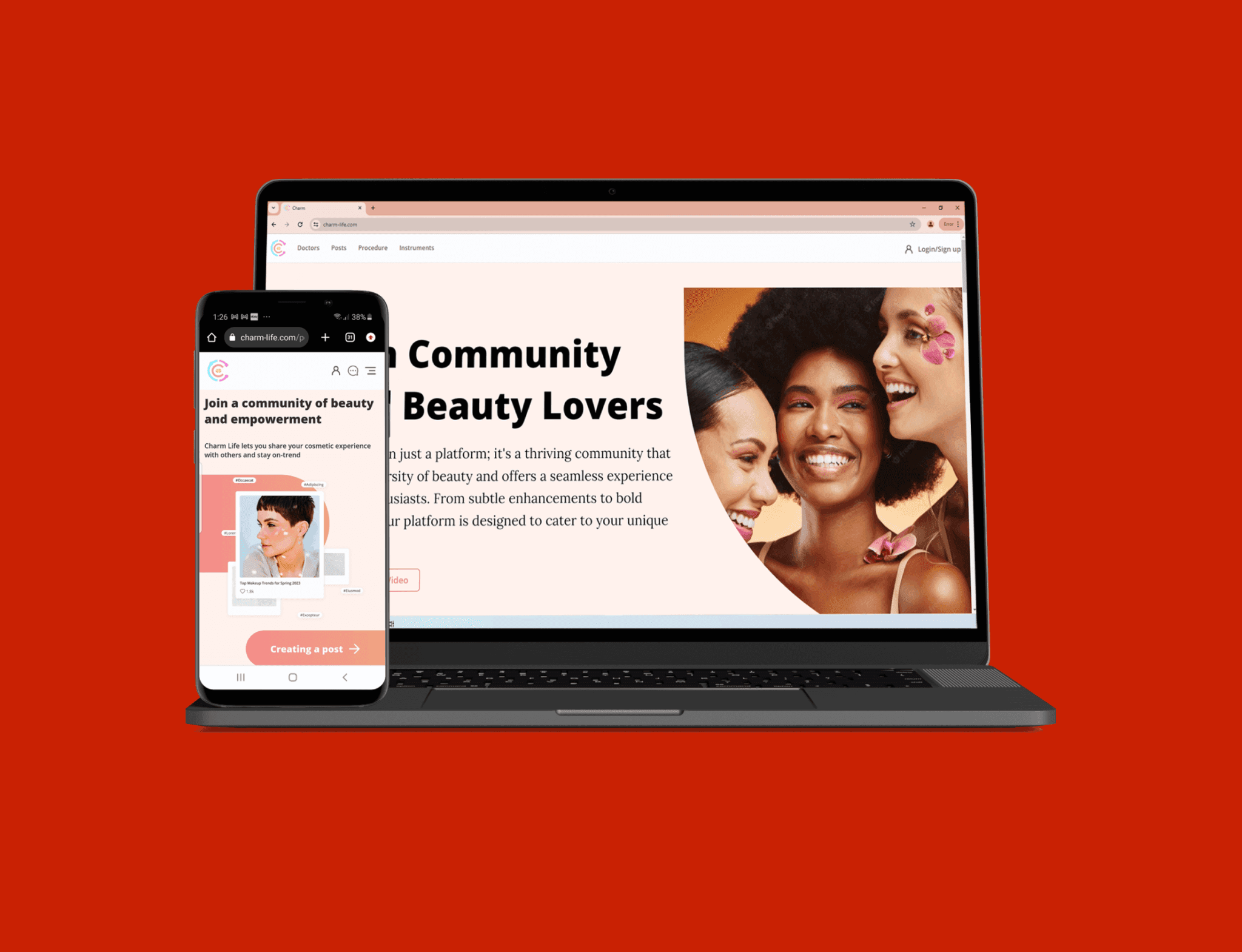
Redesigning start-up CharmLife's web app for responsiveness, improving design systems, accessibility and UI/UX.
Redesigning start-up CharmLife's web app for responsiveness, improving design systems, accessibility and UI/UX.
Background
Background
Background
CharmLife was an early-stage B2C start-up in the healthcare and beauty market. Their large scale and complex web app was still in the MVP development stage and had yet to acquire customers. Their goal was to create a thriving community centred around beauty and lifestyle, offering online booking for cosmetic doctor appointments, access to doctor information, posts, reviews, and exclusive deals.
CharmLife was an early-stage B2C start-up in the healthcare and beauty market. Their large scale and complex web app was still in the MVP development stage and had yet to acquire customers. Their goal was to create a thriving community centred around beauty and lifestyle, offering online booking for cosmetic doctor appointments, access to doctor information, posts, reviews, and exclusive deals.
Problem
Problem
Problem
The web app had a poor, non-responsive UI, low contrast, and lacked core features—risking lost customers and investor interest due to weak brand perception. CharmLife wanted to expand their market, they needed me to evolve their existing concept, enhance UI/UX and bring their web app to other devices.
The web app had a poor, non-responsive UI, low contrast, and lacked core features—risking lost customers and investor interest due to weak brand perception. CharmLife wanted to expand their market, they needed me to evolve their existing concept, enhance UI/UX and bring their web app to other devices.
Results
Results
Results
Redesign highlights:
Responsive design: Designed 12+ responsive page designs for 4 screen sizes, providing seamless access to a wider audience. Including 91% of e-commerce shoppers who are mobile users.
UI enhancements: Proportional spacing relations, alignment of UI elements, resized elements for cross-devices scaling.
Enhanced accessibility: Improved accessibility with higher WCAG contrast colours, resulting in more readable CTAs and UI elements.
Design system revamp: Enhanced scalability, visual hierarchy, and aesthetics.
Development efficiency: UI kits added to component library which streamlined development speed from 5 hours per day to 4 hours.
Redesign highlights:
Responsive design: Designed 12+ responsive page designs for 4 screen sizes, providing seamless access to a wider audience. Including 91% of e-commerce shoppers who are mobile users.
UI enhancements: Proportional spacing relations, alignment of UI elements, resized elements for cross-devices scaling.
Enhanced accessibility: Improved accessibility with higher WCAG contrast colours, resulting in more readable CTAs and UI elements.
Design system revamp: Enhanced scalability, visual hierarchy, and aesthetics.
Development efficiency: UI kits added to component library which streamlined development speed from 5 hours per day to 4 hours.
Project Scope
Project Scope
Main Tasks
Main Tasks
Project Scope - Main Tasks
In 4 months, I was tasked with developing their prototype and creating responsive designs for new and existing pages. Prioritising improved UI/UX with inclusion of new design trends. I discussed what I had to do with product management and the design lead. I then collaborated with developers and UI/UX designers to present, discuss, and refine designs. I was also tasked with creating new features and user flows. My expectations within the timeframe was to make the web app more responsive, improve accessibility, and gauge my expertise to improve what they had.
In 4 months, I was tasked with developing their prototype and creating responsive designs for new and existing pages. Prioritising improved UI/UX with inclusion of new design trends. I discussed what I had to do with product management and the design lead. I then collaborated with developers and UI/UX designers to present, discuss, and refine designs. I was also tasked with creating new features and user flows. My expectations within the timeframe was to make the web app more responsive, improve accessibility, and gauge my expertise to improve what they had.
Empathise
Empathise
Discovery
Discovery
Empathise - Discovery
During the responsive design process I identified a few areas of improvement in their systems, that would boost the quality. I noticed these 3 main areas, that could have added a lot of value with little cost.
During the responsive design process I identified a few areas of improvement in their systems, that would boost the quality. I noticed these 3 main areas, that could have added a lot of value with little cost.
Pain Points
Pain Points

Spacing:
Spacing:
The spacing on some existing pages were inconsistent which made the UI look messy and brand less trustworthy.
Existing spacing scaled awkwardly when scaling across devices, for example 0.75px instead of 1px.
The spacing on some existing pages were inconsistent which made the UI look messy and brand less trustworthy.
Existing spacing scaled awkwardly when scaling across devices, for example 0.75px instead of 1px.

Accessibility:
Accessibility:
Some important visual elements were hard to read because the colour contrast for text did not meet WCAG guidelines.
There were missed opportunities for improving accessibility like adding icons with text for colour-blindness and more.
In some areas text could have been reduced to fewer lines to make it more readable and aesthetically better.
Some important visual elements were hard to read because the colour contrast for text did not meet WCAG guidelines.
There were missed opportunities for improving accessibility like adding icons with text for colour-blindness and more.
In some areas text could have been reduced to fewer lines to make it more readable and aesthetically better.

Design systems:
Design systems:
The existing type scale scaled badly across devices with subpixel rounding issues.
The user interface text lacked a pronounced visual hierarchy.
The existing type scale scaled badly across devices with subpixel rounding issues.
The user interface text lacked a pronounced visual hierarchy.
Pain Points
Pain Points
Spacing:
Spacing:
The spacing on some existing pages were inconsistent which made the UI look messy and brand less trustworthy.
Existing spacing scaled awkwardly when scaling across devices, for example 0.75px instead of 1px.
The spacing on some existing pages were inconsistent which made the UI look messy and brand less trustworthy.
Existing spacing scaled awkwardly when scaling across devices, for example 0.75px instead of 1px.
Accessibility:
Accessibility:
Some important visual elements were hard to read because the colour contrast for text did not meet WCAG guidelines.
There were missed opportunities for improving accessibility like adding icons with text for colour-blindness and more.
In some areas text could have been reduced to fewer lines to make it more readable and aesthetically better.
Some important visual elements were hard to read because the colour contrast for text did not meet WCAG guidelines.
There were missed opportunities for improving accessibility like adding icons with text for colour-blindness and more.
In some areas text could have been reduced to fewer lines to make it more readable and aesthetically better.
Design systems:
Design systems:
The existing type scale scaled badly across devices with subpixel rounding issues.
The user interface text lacked a pronounced visual hierarchy.
The existing type scale scaled badly across devices with subpixel rounding issues.
The user interface text lacked a pronounced visual hierarchy.
Improvement. 1
Improvement. 1
Adding 8pt Spacing
Adding 8pt Spacing
Improvement. 1 - Adding 8pt Spacing
The existing spacing sometimes had odd spacing, which increased the chances of non-rounded sizes like 0.75 pixels. To improve upon this I helped introduce 8pt and 4pt spacing systems. This system reduced the chance of non-rounded sizes. This system leveraged the fact that common resolutions like 1920x1080p are divisible by 8 and 4. Meaning UI will look and scale much better on devices like mobile. The more organised UI created a higher perception of brand quality.
The existing spacing sometimes had odd spacing, which increased the chances of non-rounded sizes like 0.75 pixels. To improve upon this I helped introduce 8pt and 4pt spacing systems. This system reduced the chance of non-rounded sizes. This system leveraged the fact that common resolutions like 1920x1080p are divisible by 8 and 4. Meaning UI will look and scale much better on devices like mobile. The more organised UI created a higher perception of brand quality.
Improvement. 2
Improvement. 2
WCAG Accessibility Contrast
WCAG Accessibility Contrast
Improvement. 2 - WCAG Accessibility Contrast
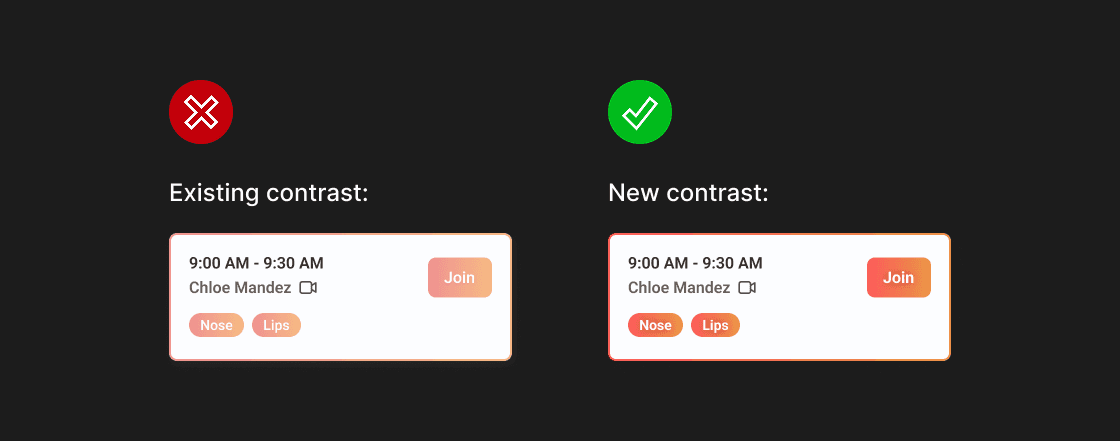
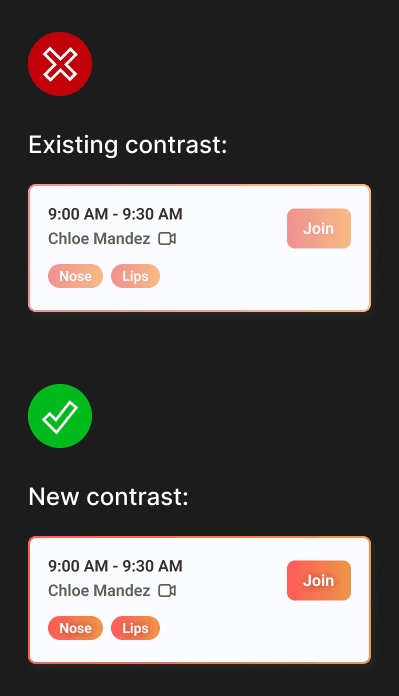
To better accommodate users with diverse needs, I identified a significant issue with the existing user interface: low colour contrast, which hindered readability, especially for small text. Using a WCAG contrast checker, I pinpointed areas needing improvement while preserving the white text on the orange theme (a challenging task). By adhering to WCAG guidelines and increasing text boldness, I successfully enhanced text visibility under various lighting conditions. An example is shown below.
To better accommodate users with diverse needs, I identified a significant issue with the existing user interface: low colour contrast, which hindered readability, especially for small text. Using a WCAG contrast checker, I pinpointed areas needing improvement while preserving the white text on the orange theme (a challenging task). By adhering to WCAG guidelines and increasing text boldness, I successfully enhanced text visibility under various lighting conditions. An example is shown below.
Improvement. 3
Improvement. 3
Design Systems and UI Kits
Design Systems and UI Kits
Improvement. 3 - Design Systems and UI Kits
I identified subpixel rounding scaling issues with the typeface scale in the existing design system. To address this, I helped revise the type scale in their design system to a new one, improving cross-device scaling and visual hierarchy. Also, I helped in creating UI kits. Enabling future designers to customise pages by just dragging in components, and editing them to their needs efficiently using booleans and variants. This reduced design development time from 5 hours on average per page to 4.
I identified subpixel rounding scaling issues with the typeface scale in the existing design system. To address this, I helped revise the type scale in their design system to a new one, improving cross-device scaling and visual hierarchy. Also, I helped in creating UI kits. Enabling future designers to customise pages by just dragging in components, and editing them to their needs efficiently using booleans and variants. This reduced design development time from 5 hours on average per page to 4.
Prototyping
High Fidelity Wireframes for 4 Screen Sizes
High Fidelity Wireframes for 4 Screen Sizes
Prototyping - High Fidelity Wireframes for 4 Screen Sizes
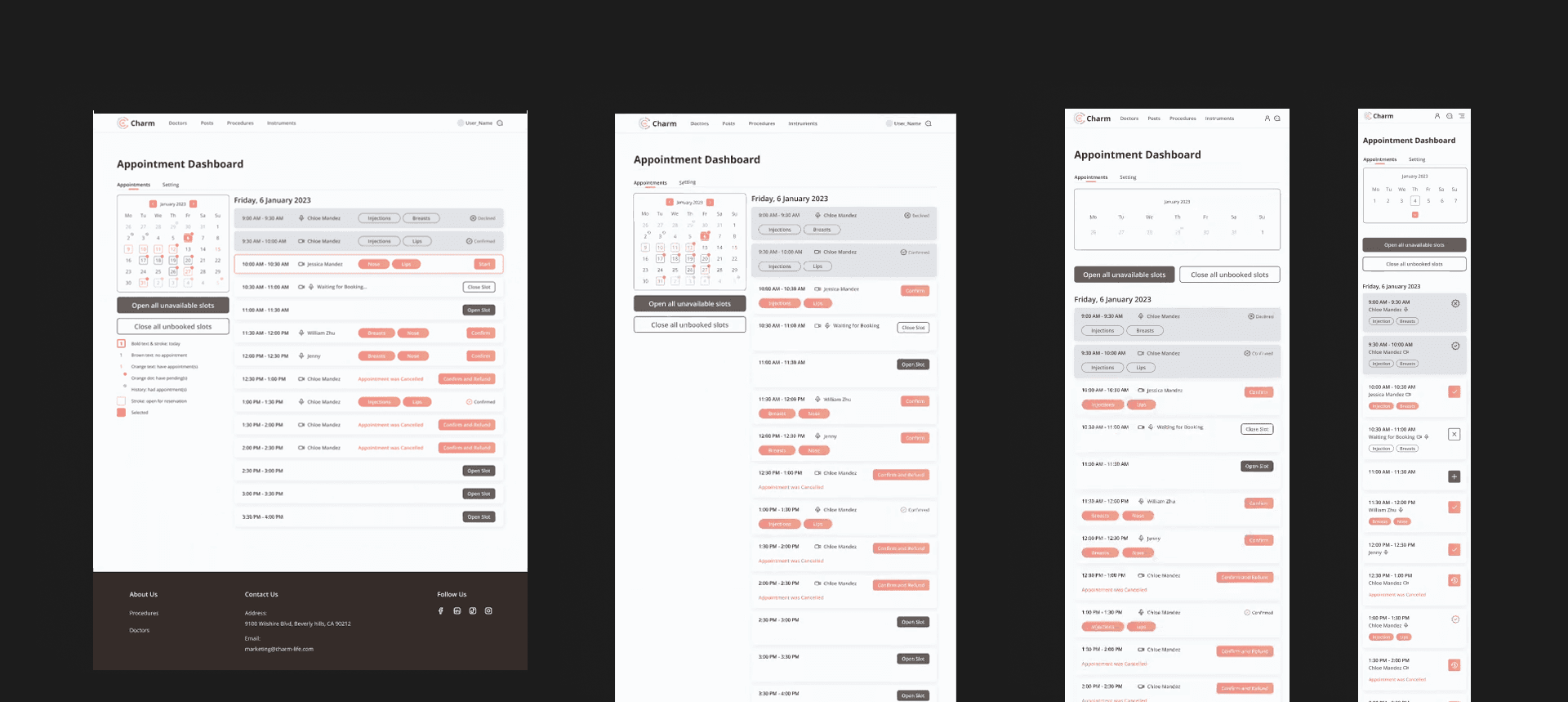
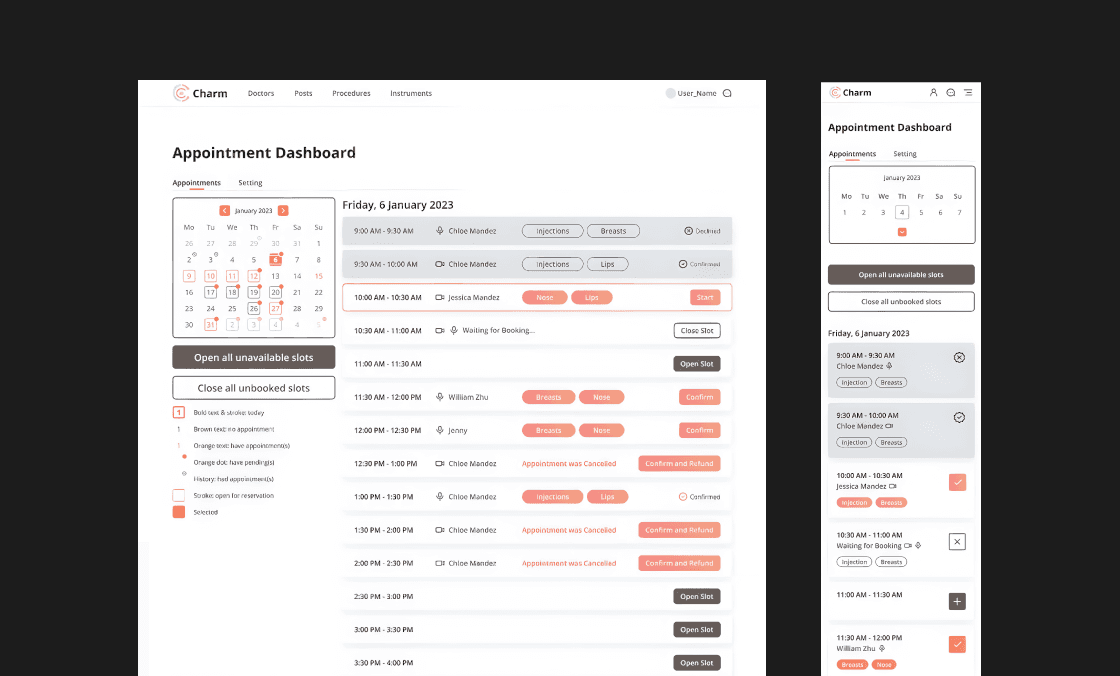
A key objective was to broaden the prototype's device compatibility. Our team of designers collaborated across timezones on Figma, we worked independently to expand high fidelity wireframes to fit 4 screen sizes. Followed by collaborative sessions to identify problems and iterate on the designs. Throughout this process, I personally produced 12+ responsive wireframes. Fixing any UI/UX problems I came across. As a result, the MVP v1 was successfully launched, positioned for a wider market. Incorporating more functionalities such as doctor appointment booking.
A key objective was to broaden the prototype's device compatibility. Our team of designers collaborated across timezones on Figma, we worked independently to expand high fidelity wireframes to fit 4 screen sizes. Followed by collaborative sessions to identify problems and iterate on the designs. Throughout this process, I personally produced 12+ responsive wireframes. Fixing any UI/UX problems I came across. As a result, the MVP v1 was successfully launched, positioned for a wider market. Incorporating more functionalities such as doctor appointment booking.
Results
Results
I successfully evolved the concept MVP by adding new features and pages, fixing UI/UX issues, and optimising it for more devices.
I successfully evolved the concept MVP by adding new features and pages, fixing UI/UX issues, and optimising it for more devices.
Results - I successfully evolved the concept MVP by adding new features and pages, fixing UI/UX issues, and optimising it for more devices.
01. 2 Scalability features added
01. 2 Scalability features added
01. 2 Scalability features added
I improved scalability by introducing 8pt spacing to their layout. And by introducing better scalable font sizes to their design system.
I improved scalability by introducing 8pt spacing to their layout. And by introducing better scalable font sizes to their design system.
02. 1 New accessibility feature added
02. 1 New accessibility feature added
02. 1 New accessibility feature added
I helped improve accessibility by introducing WCAG compliant colours to their their design system.
I helped improve accessibility by introducing WCAG compliant colours to their their design system.
03. Improved responsiveness with 12+ wireframes
03. Improved responsiveness with 12+ wireframes
03. Improved responsiveness with 12+ wireframes
I expanded their market reach by designing responsive, high-fidelity wireframes for 4 screen sizes.
I expanded their market reach by designing responsive, high-fidelity wireframes for 4 screen sizes.
Lessons
Lessons
I worked with international teams in agile development, in a fast paced start-up setting. Developing an early stage product provided challenges and a great learning experience.
I worked with international teams in agile development, in a fast paced start-up setting. Developing an early stage product provided challenges and a great learning experience.
Lessons - I worked with international teams in agile development, in a fast paced start-up setting. Developing an early stage product provided challenges and a great learning experience.
01. Comfort with ambiguity
01. Comfort with ambiguity
01. Comfort with ambiguity
Think in systems, about elements as part of a wider whole. Consider how elements connect, and research successful design patterns.
Think in systems, about elements as part of a wider whole. Consider how elements connect, and research successful design patterns.
02. Working with front-end developers
02. Working with front-end developers
02. Working with front-end developers
The rule is to keep some auto-layout alignments for certain UI elements, instead of being pixel perfect. Also think in terms of boxes, because that's mostly how CSS and front-end layouts are structured.
The rule is to keep some auto-layout alignments for certain UI elements, instead of being pixel perfect. Also think in terms of boxes, because that's mostly how CSS and front-end layouts are structured.
03. Global collaboration
03. Global collaboration
03. Global collaboration
Be flexible across time zones, use communication tools effectively, and clearly define deadlines in all relevant zones.
Be flexible across time zones, use communication tools effectively, and clearly define deadlines in all relevant zones.
Testimonials
Testimonials
Feedback for This Project
Feedback for This Project
Testimonials - Feedback for This Project
See testimonials for this project from former CharmLife colleagues.
See testimonials for this project from former CharmLife colleagues.
"He excels in adhering to various web standards and design guidelines, ensuring the readability and the visual language of our product. Really impactful!"

"He seamlessly integrates user needs and feedback and his commitment to accessibility ensures that the designs are inclusive and reach a diverse audience."

UI/UX Designer, CharmLife
Other Work
Other Work
Other Work
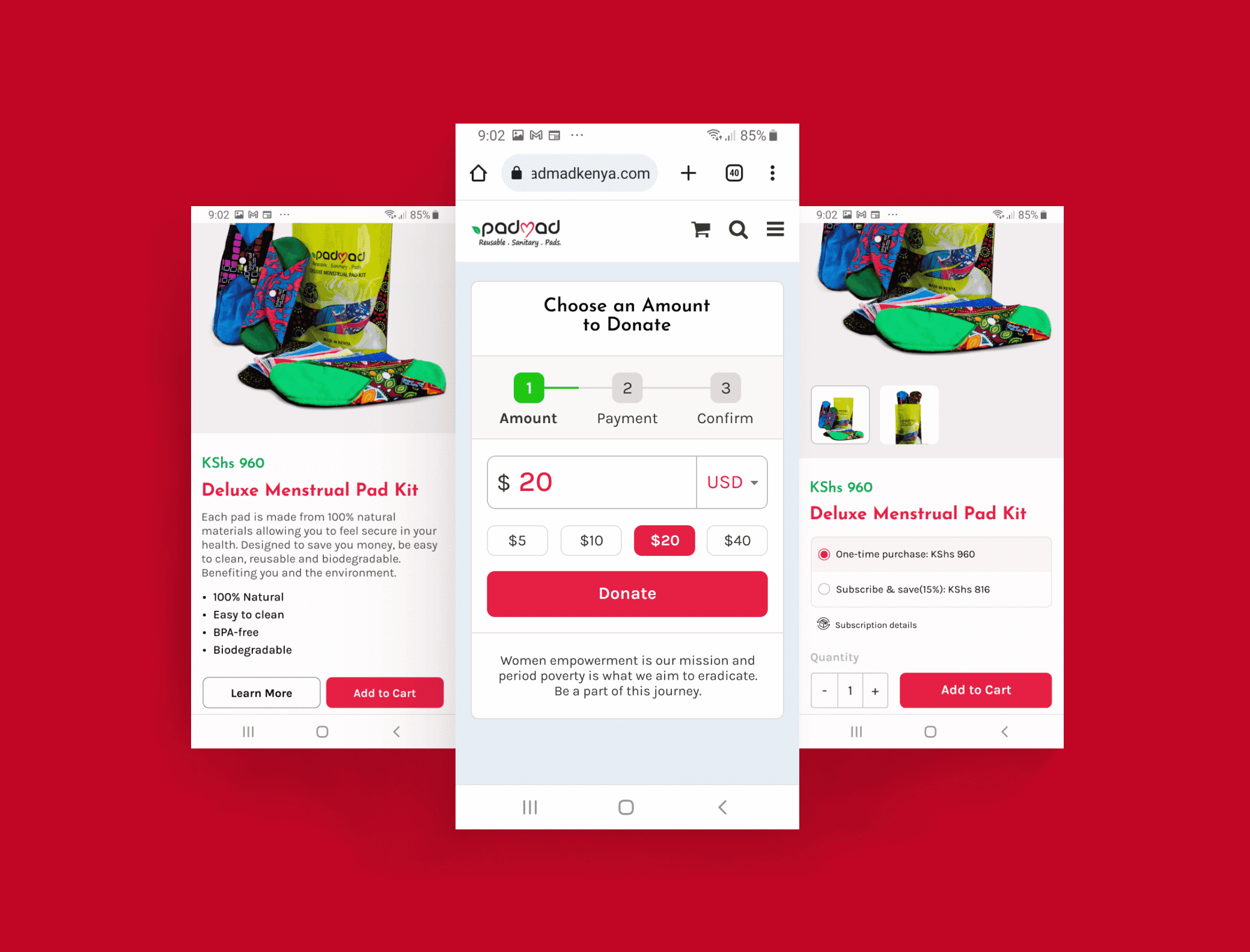
Padmadkenya
Padmadkenya
Redesigning PadmadKenya's e-commerce site for a smoother user experience and boosting conversions by 30-60%+.
Redesigning PadmadKenya's e-commerce site for a smoother user experience and boosting conversions by 30-60%+.
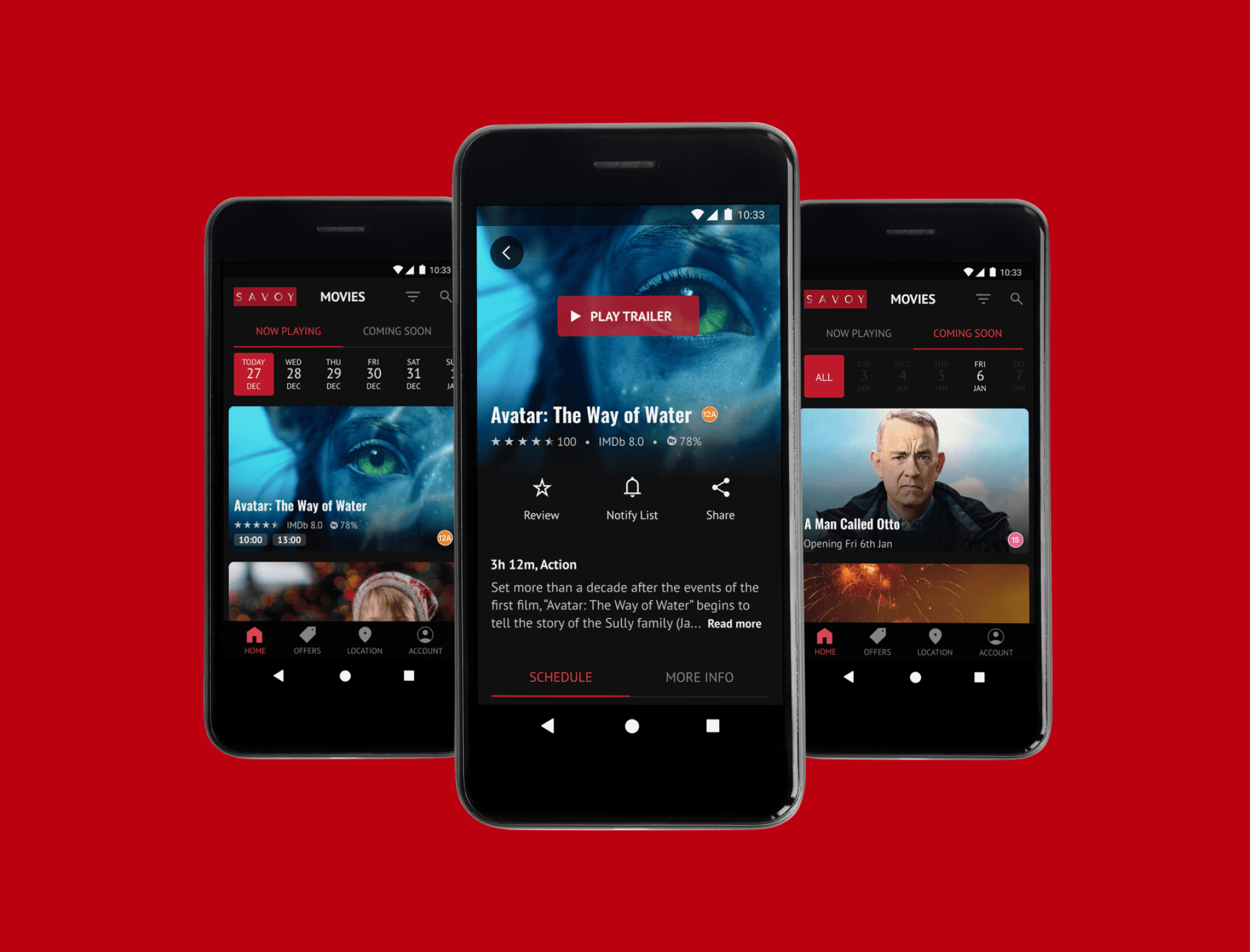
Savoy
Savoy
Designing a Savoy cinema app to find movies 2× faster than their site—with better accessibility, personalisation, and convenience.
Designing a Savoy cinema app to find movies 2× faster than their site—with better accessibility, personalisation, and convenience.
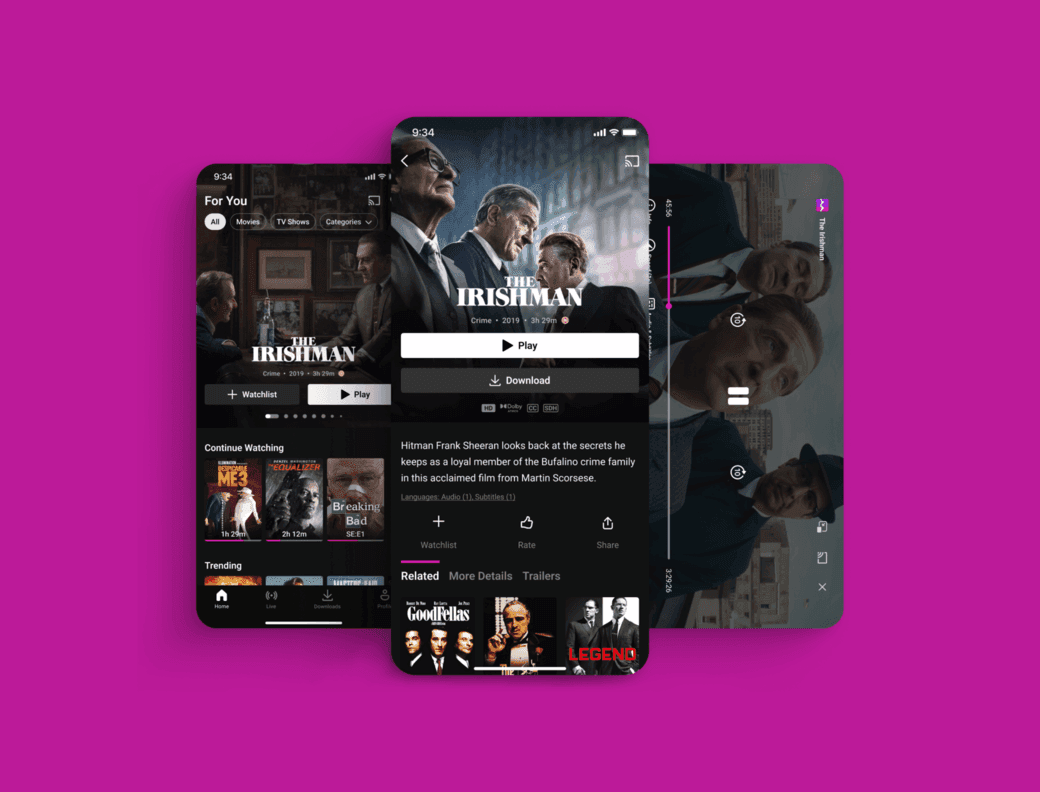
UI Showcase
UI Showcase
Explore a vibrant collection of various designs on Dribbble, each one crafted to perfectly suit a unique purpose.
Explore a vibrant collection of various designs on Dribbble, each one crafted to perfectly suit a unique purpose.